


Share This Article
Choosing a baby monitor is easy until you compare the details that matter at 2 a.m. A basic audio monitor is inexpensive and dependable, while a typical Wi-Fi camera gives you live video from an app. Nanit sits further up the spectrum, combining overhead video, sleep-focused data, breathing wear, and nursery accessories into one connected system. The question is not whether it has more features. It is whether those features make nightly checks simpler for your family.
This comparison weighs Nanit against the usual alternatives on setup, everyday viewing, insights, travel, and cost. My short answer: it is a strong recommendation for first-time parents who want one expandable system, but a straightforward camera remains the better value for occasional monitoring.
Some links in this article are affiliate links: if you make a purchase through them, we may receive a small commission.
Nanit puts the camera above the crib
Most inexpensive cameras sit on a shelf or dresser and point across the crib. That can work, but the view changes when a baby rolls, stands, or pulls a blanket up. The Smart Baby Monitor + Flex Stand is designed for a more complete overhead perspective. The position makes it easier to see the whole sleep space, while the flexible stand is useful when you are renting or do not want to commit to a wall installation.
Compared with a standard Wi-Fi camera, that is the first meaningful upgrade: you spend less time interpreting a corner of the crib. The Nanit monitor setup also feels more purpose-built than a repurposed indoor security camera. The tradeoff is obvious: a basic 1080p camera can cost far less and may be perfectly adequate if you only need a live feed.
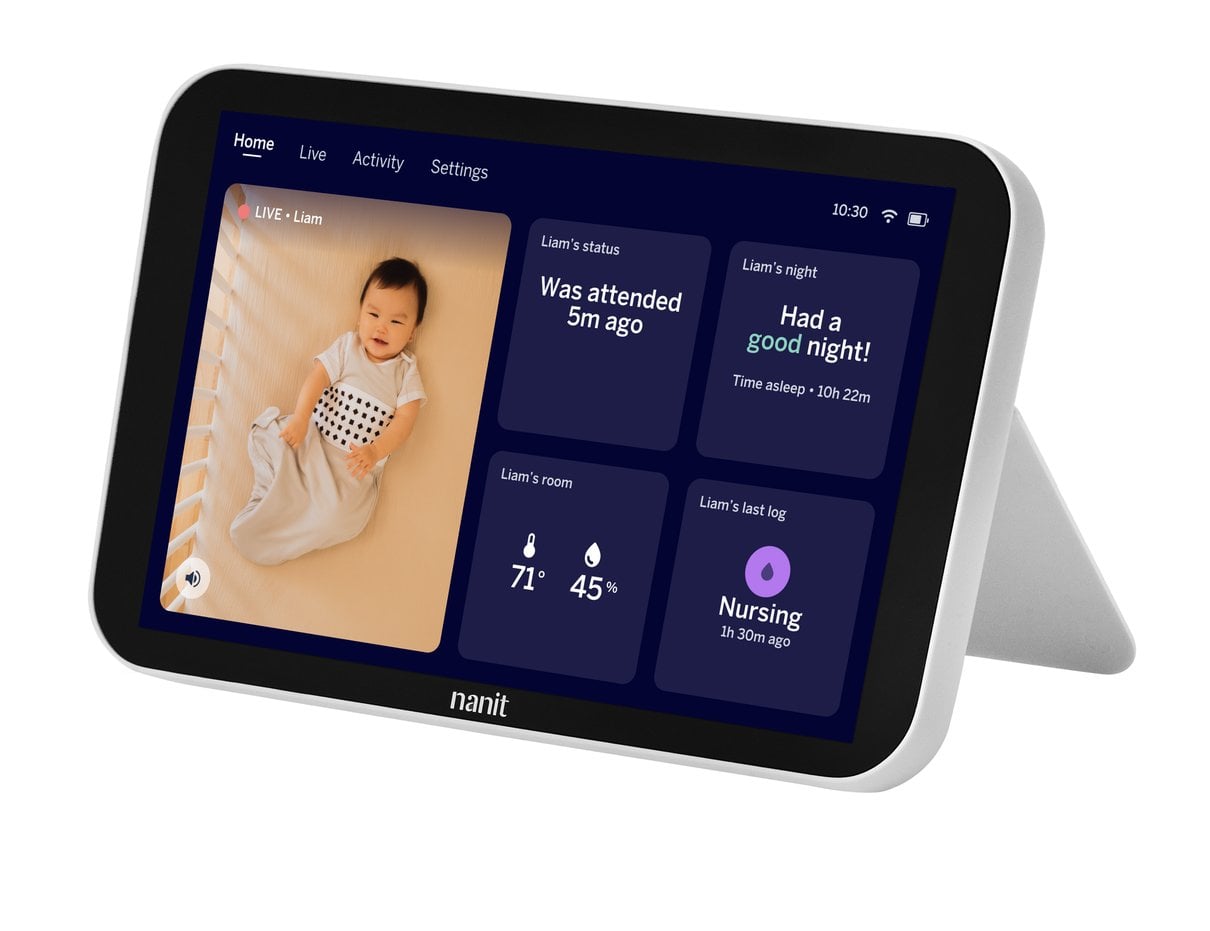
Nanit adds a dedicated display to app monitoring
Phone-only monitoring is familiar, but it comes with friction. You may need to unlock your phone, pause a podcast, or hand over your main screen to a partner. The Home 8" Display gives Nanit a more traditional monitor feel without giving up the app.
- Dedicated viewing: check the crib without tying up your personal phone.
- Flexible access: use the app when you are away from the nursery.
- Less setup clutter: one system can replace the camera plus an improvised tablet.
A typical alternative wins on simplicity if your household already owns an unused tablet. It can also be easier to replace if something breaks. Still, for families who want a screen in the kitchen or living room, the Home Display option is one of Nanit’s most practical differentiators. It turns a phone-first product into a dedicated daily tool.
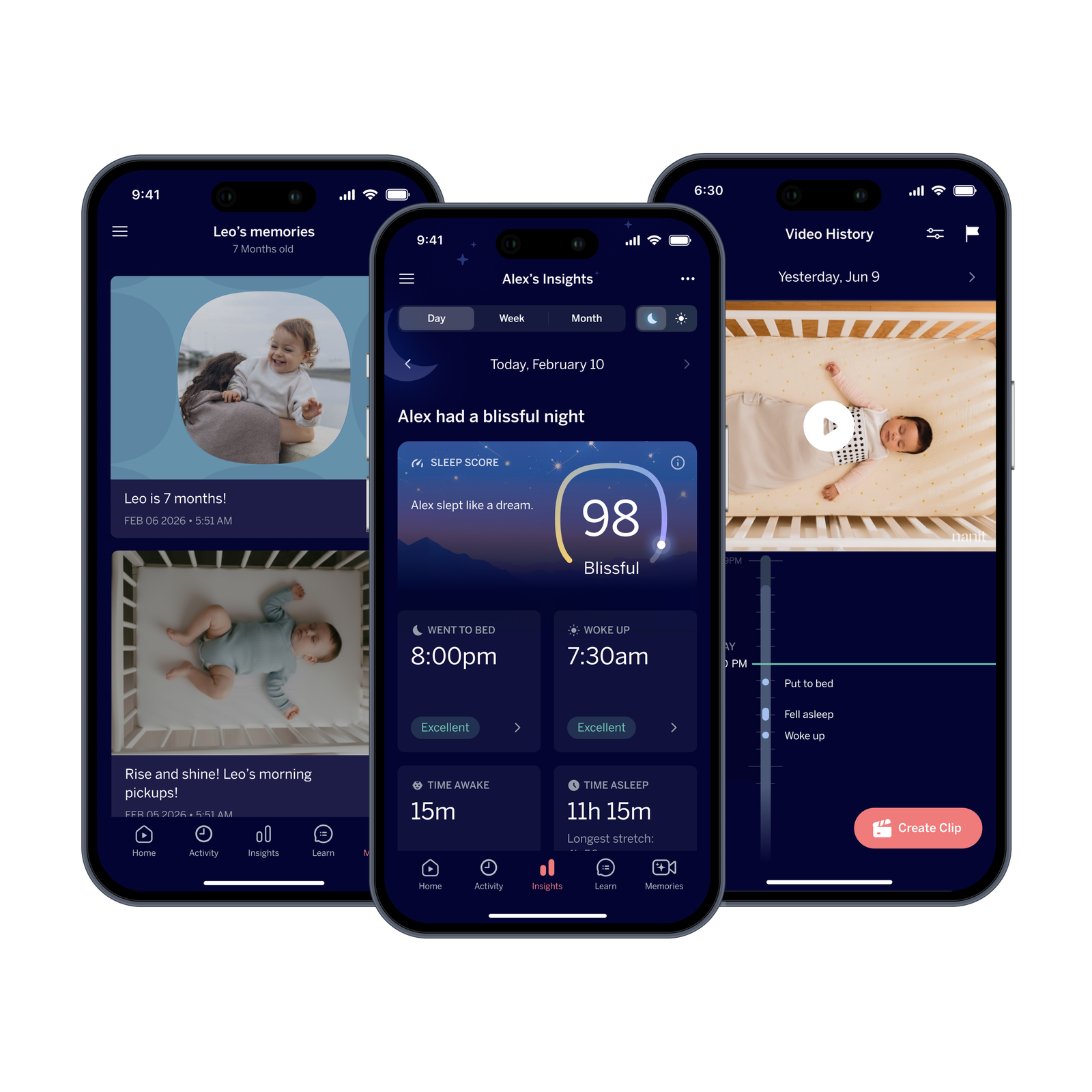
Nanit turns camera data into organised parent insight
The premium is not just the camera hardware. Nanit is built around information that ordinary monitors generally do not organize for you. Depending on the product and plan, parents can look for sleep trends, milestones, and breathing-related information. That can make the system feel more useful over months, not only during the first few weeks home.
There is an important caveat: extra insights can mean extra cost. A cheap camera has a clearer ownership model because you pay once. With Nanit’s Insights Plan, you should decide whether ongoing sleep records are genuinely useful to you. Treat the subscription as an optional convenience, not a reason to overspend.
Nanit setups match different monitoring needs
You do not need every accessory to get the core benefit. Start with the setup that matches how you actually monitor.
- Best all-round start: choose the Smart Baby Monitor + Flex Stand if you want a complete view without drilling into a wall.
- Best for shared spaces: add the Home 8" Display if your phone is already overloaded.
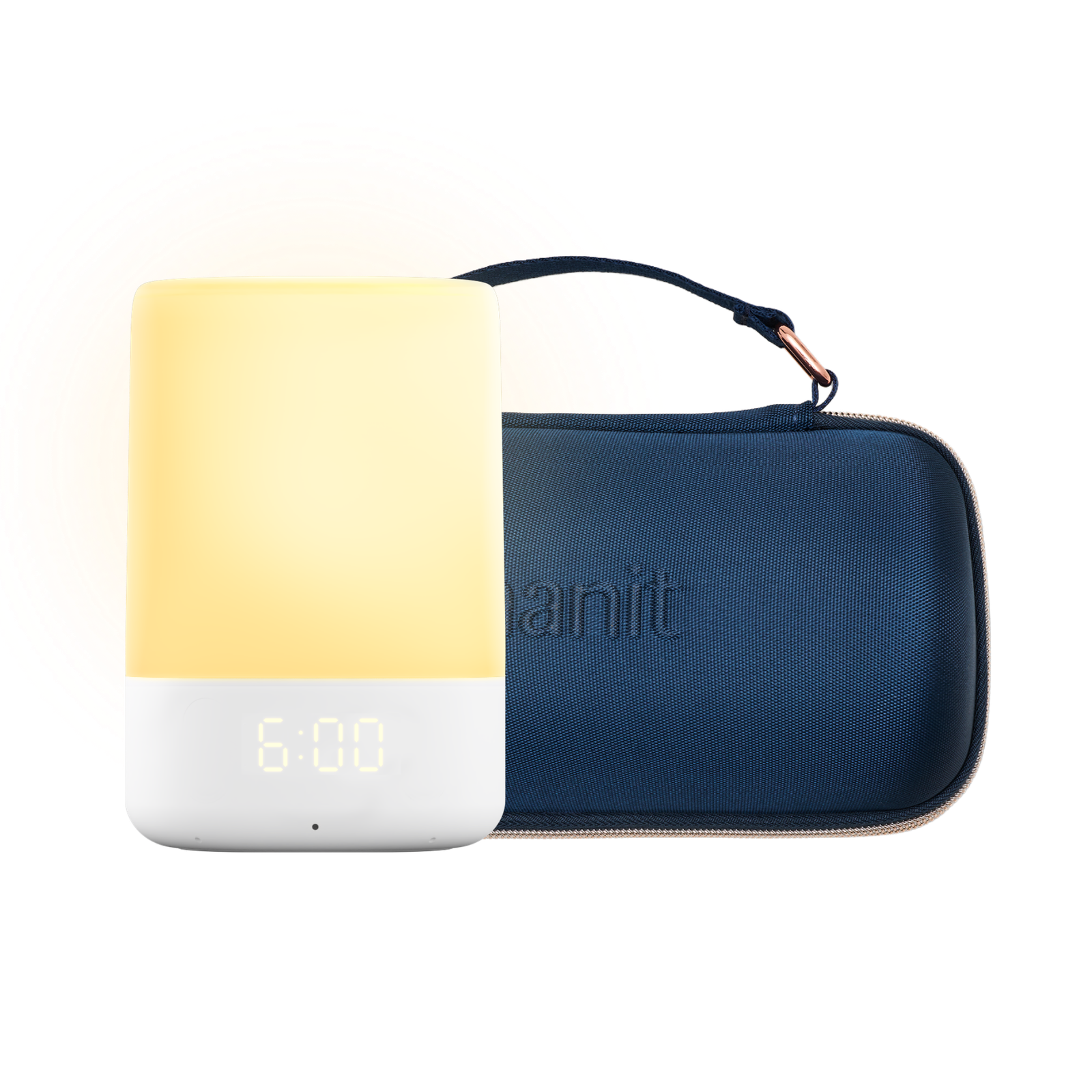
- Best for travel: consider the Sound + Light Travel Pack for a more portable sleep routine.
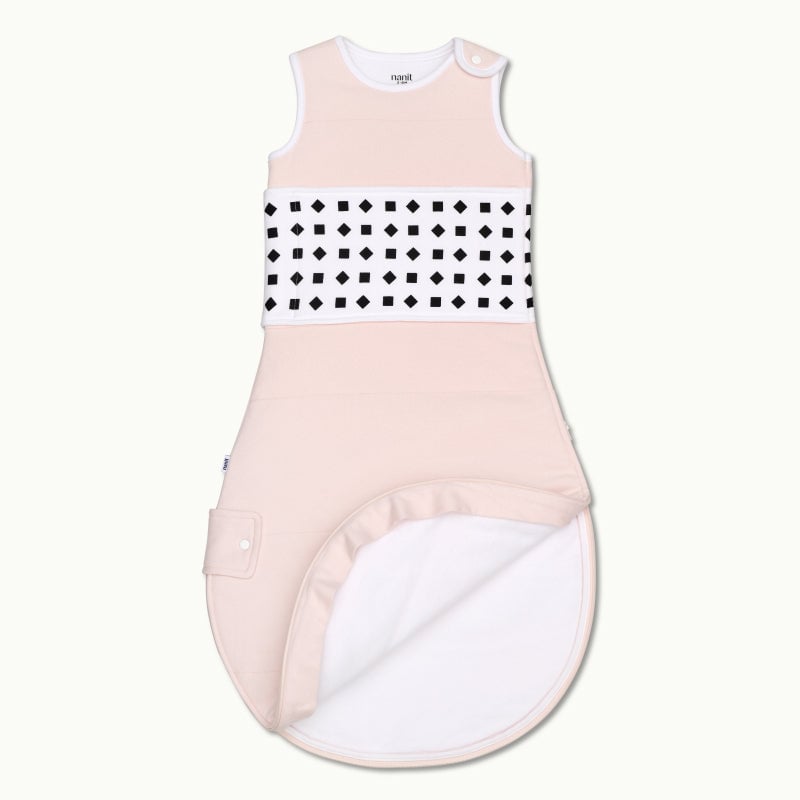
The Breathing Wear Quilted Sleeping Bag is a separate wearable product rather than a requirement for monitoring. That distinction matters when you compare total baskets. A typical camera may look cheaper at checkout, but Nanit gives you a clearer path to add only what solves a real problem.
Nanit suits parents who want more than basic monitoring
Choose a basic audio monitor if reliability, low price, and no internet connection matter most. Choose a conventional Wi-Fi camera if you want live video and broad compatibility at the lowest reasonable spend. Choose Nanit if you want an overhead view, a polished app, optional sleep insights, and accessories that fit one nursery ecosystem.
Privacy is another fair comparison point. Any connected camera deserves a careful look at account security, permissions, and who can access the feed. A local audio monitor has fewer digital variables, while a Wi-Fi model offers remote viewing at the cost of more account management. Convenience and connectivity are linked, so choose the level of access your household can manage comfortably.
Before checkout, compare the full setup rather than the camera headline price. Ask whether you need a separate screen, whether ongoing insights matter, and whether you will actually use travel or sleep accessories. The Nanit collection is easiest to justify when those answers point to more than live video alone.
- Budget winner: audio or basic video monitoring.
- Convenience winner: Nanit with the dedicated display.
- Best long-term ecosystem: Nanit if you will use insights and accessories.
- Lowest commitment: a standalone camera with no subscription.
My recommendation is to buy Nanit for the hardware and view first, then add the display or plan only after you know they fit your routine. That keeps the premium tied to practical improvements rather than feature collecting. If your only requirement is seeing whether your baby is awake, save the money and choose a conventional camera.
Nanit is worth choosing over a typical monitor when you value a complete overhead view and an expandable nursery system more than the lowest upfront price.

